Case study · Business tool
A business ruleturned into an interface.
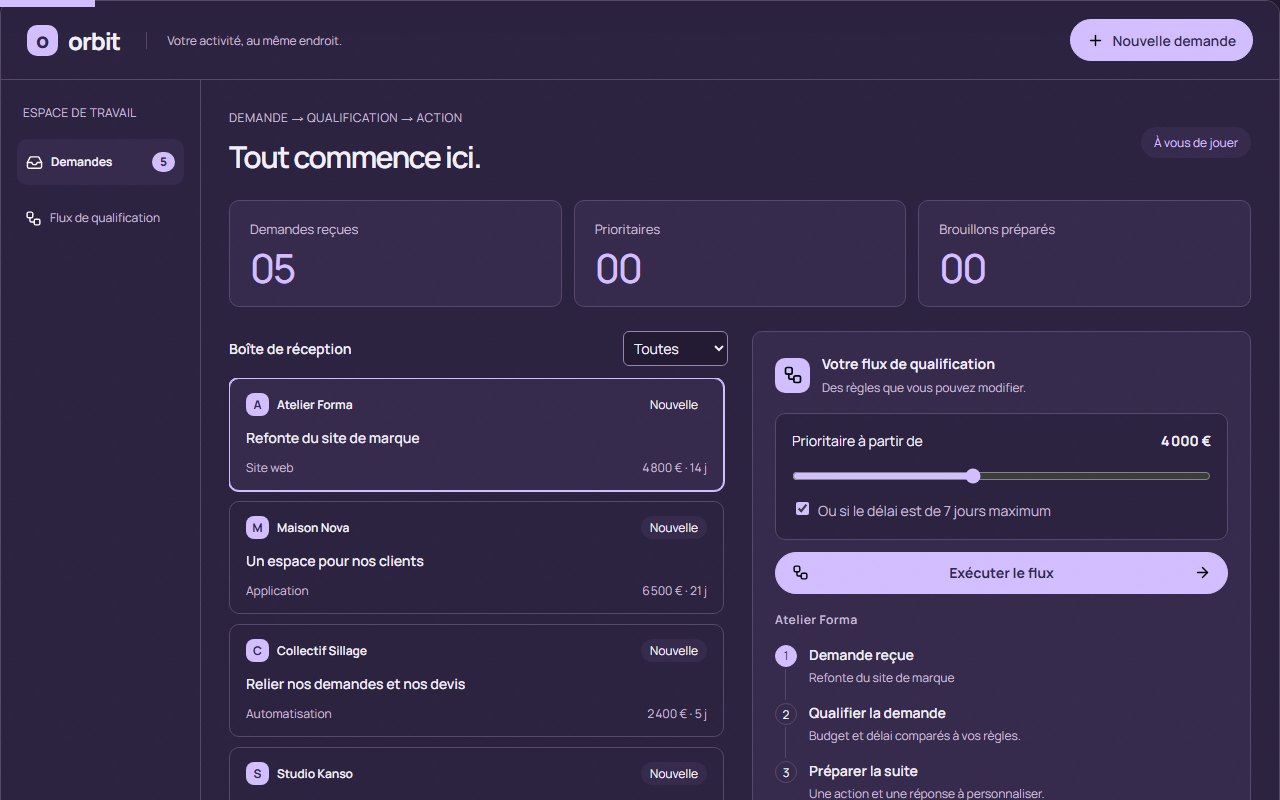
Orbit is a business-tool prototype built for this demonstration: it receives enquiries, compares them with budget and deadline rules that can be adjusted, then prepares a draft reply to review. No message is ever sent automatically.
01 · Starting point
An enquiry comes in. Now what?
Many teams receive enquiries by message or form, then sort them by hand: which are urgent, which exceed a certain budget, what to reply. The work is done by copy and paste, and the rule is written nowhere.
Orbit starts from a simple idea: write the rule down, make it adjustable, and prepare the next step. Three goals.
Receive enquiries in one place
One inbox, one filter.
Check them against adjustable rules
A budget, a deadline, visible and editable.
Prepare the next step
A task to tick off and a reply to review.
02 · What was designed
From enquiry to reply, in one space.
- 01
An inbox
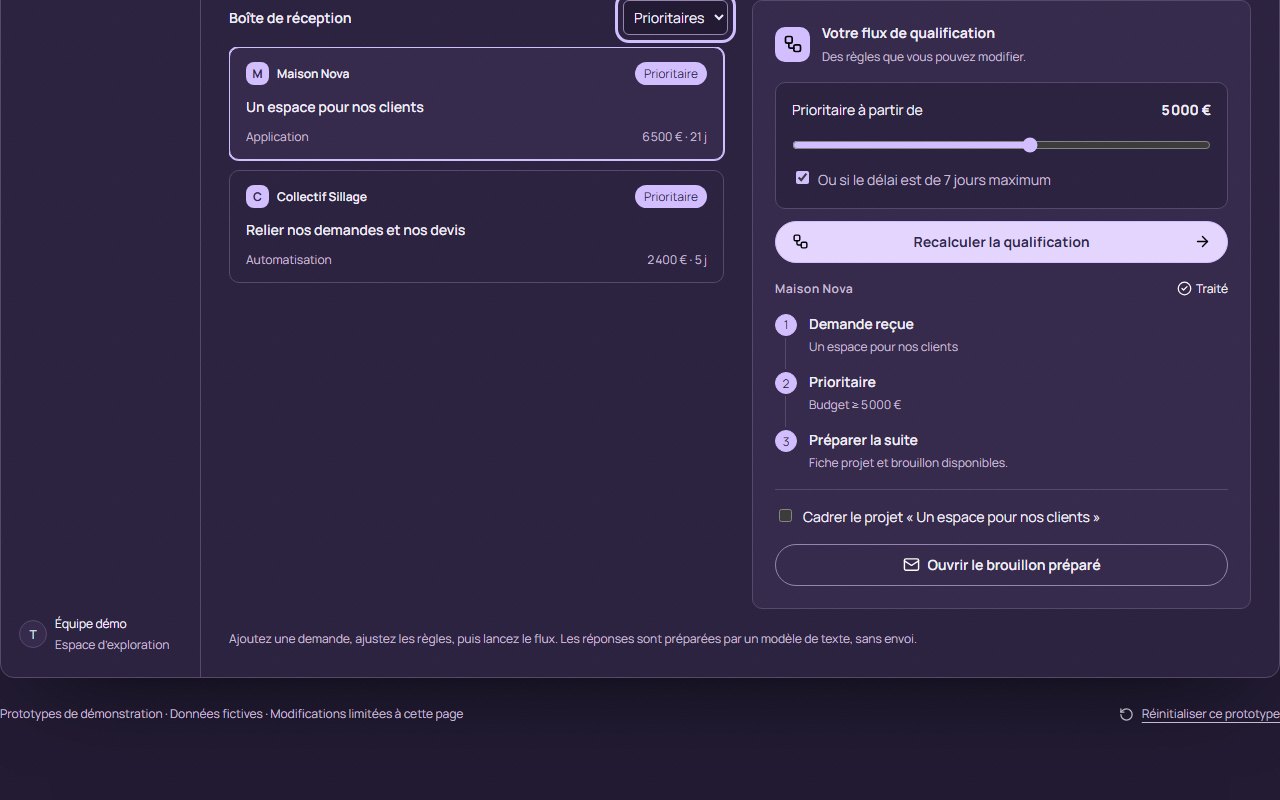
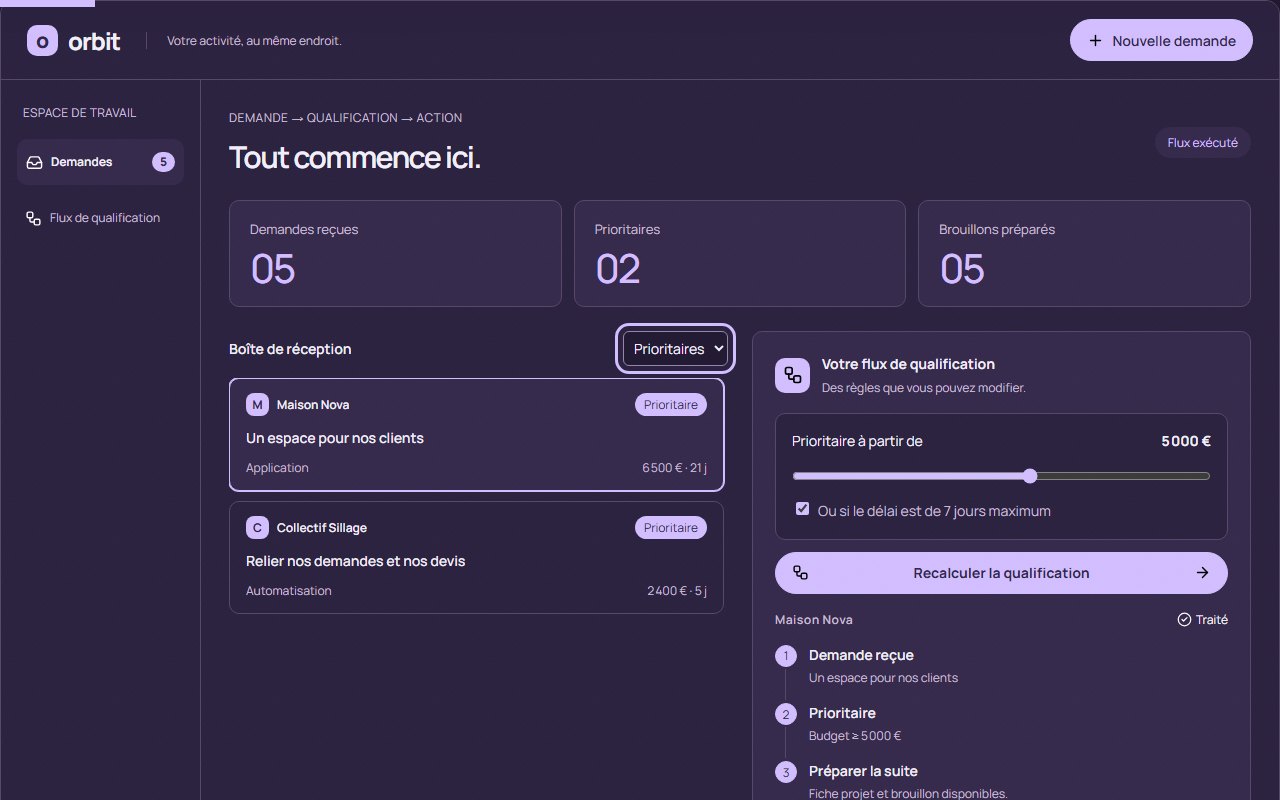
Five fictional enquiries, each with organisation, project, type, budget and deadline. One filter: all, priority, processed.
- 02
Adjustable rules
A budget threshold from €1,000 to €8,000, or a deadline of 7 days or less. Changing a rule resets the workflow.
- 03
A workflow that runs
Each enquiry is qualified “Priority” or “To review”, with the reason shown.
- 04
A scoping task
For each processed enquiry, an action ready to tick: “Scope the project…”.
- 05
A draft reply
Built from a text template, to review, copy or save. Nothing is sent, no AI is connected.
- 06
A new enquiry
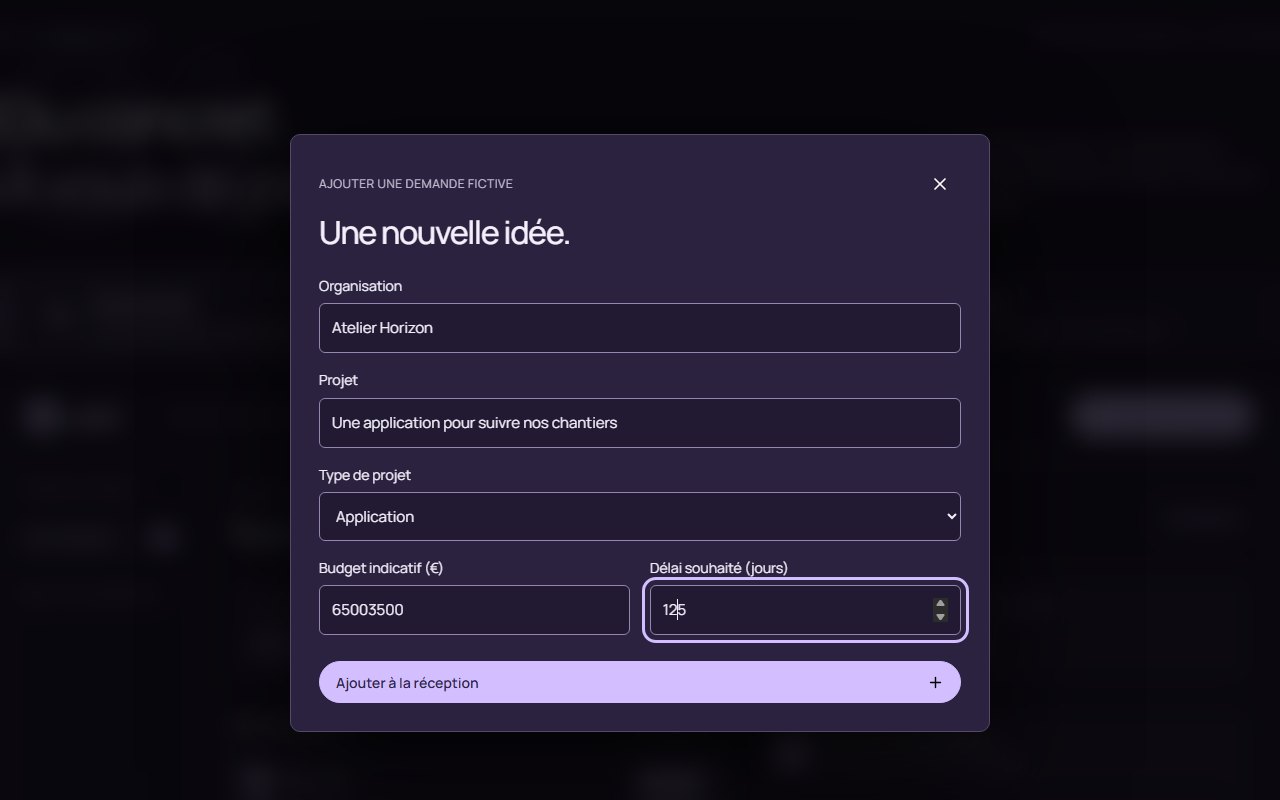
A form to add your own, validated: organisation, project, budget, deadline, type.
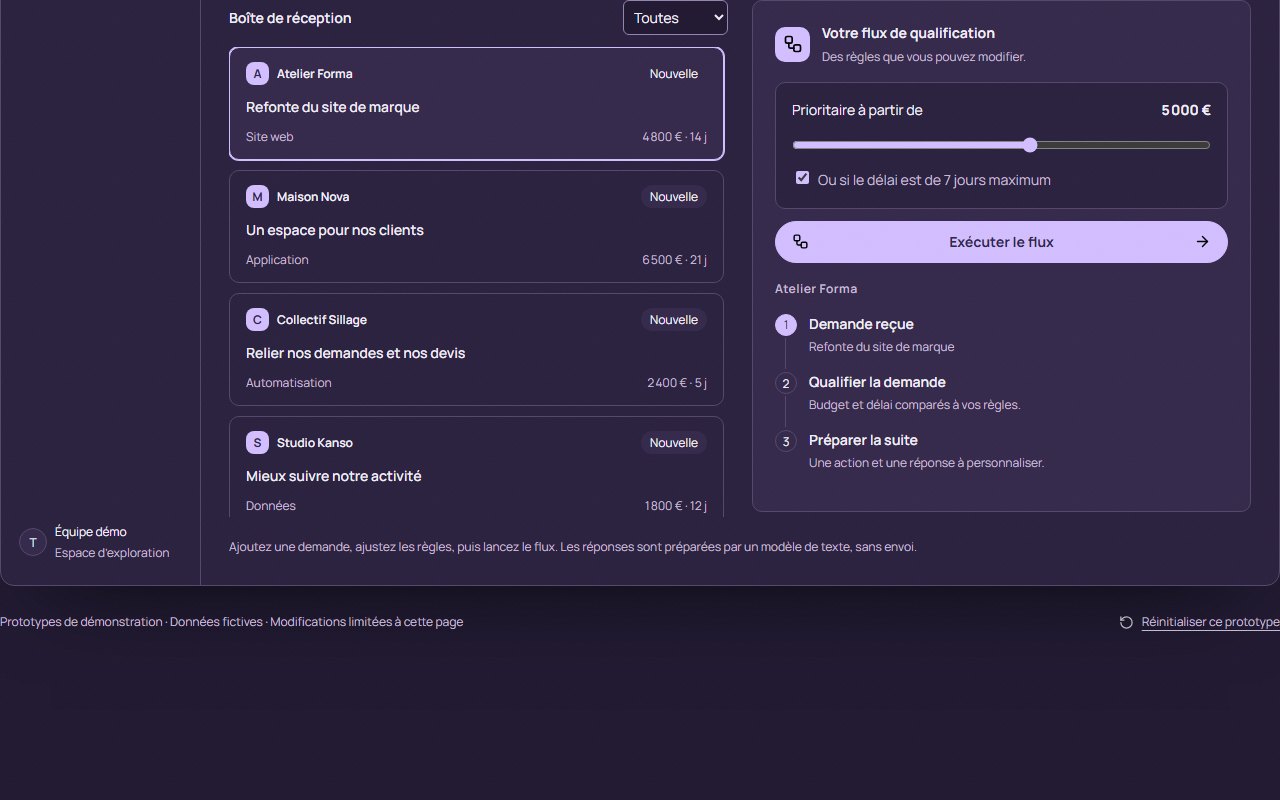
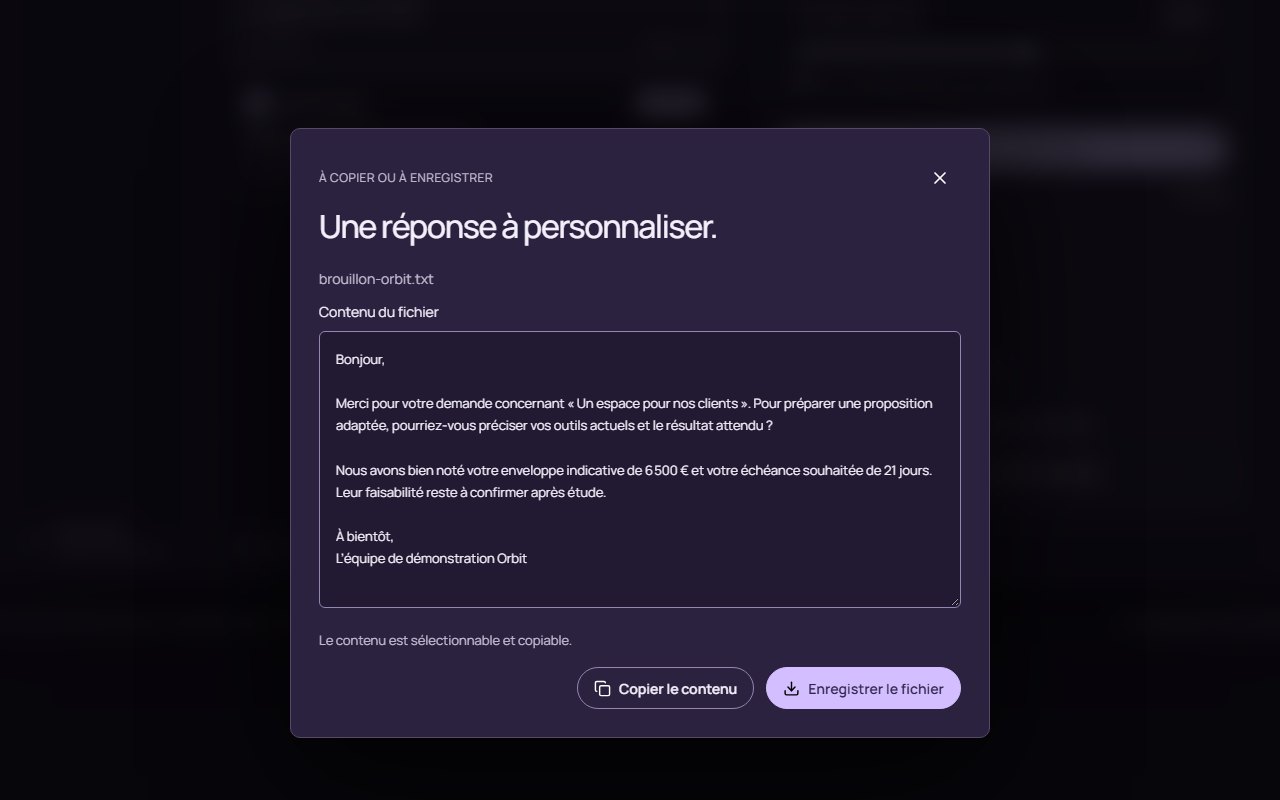
The rules before the workflow runs, then the prepared draft. Budget and urgency are adjustable. The captures are of the French interface.
Try it · the qualification workflow
Change the rule, run the workflow again.
These are the same fictional enquiries and the same rule as in the prototype. Move the threshold, run the workflow, open a draft.
No enquiries match this filter. Run the workflow or choose All.
Draft from a text template. Nothing is sent.
Orbit in action · 14 seconds
The film, in four beats.
Real interface, fictional data, no sound. Click a beat to read what it shows.
The desk
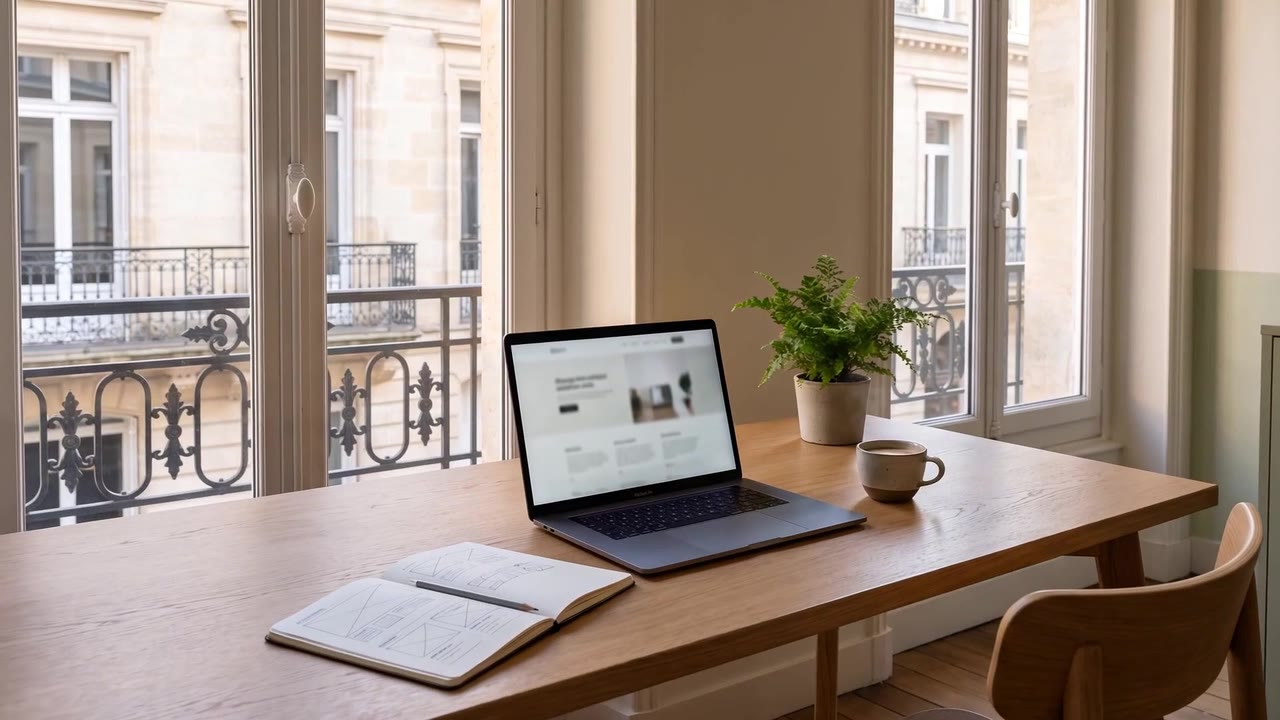
The film opens on a Bordeaux workspace in late-afternoon light and moves slowly towards the laptop.
The interface
Orbit appears as it works: five fictional enquiries, the qualification rules and the indicators in one space. One enquiry is selected.
The rule
The priority threshold is changed, then the flow runs: the five enquiries are qualified and five drafts are prepared. An example calculated in the prototype, not a client result.
What comes next
The filter keeps only the priority enquiries, then a draft reply opens to be personalised. No message is sent automatically.
The opening scene is an animated illustration created for the film; the interface is the prototype’s own.
03 · Design choices
Four decisions of method.
A
A rule you can read
The rule is not buried in code: it is displayed, it moves under your finger, and the result says why an enquiry is a priority: “Budget ≥ €4,000” or “Deadline within 7 days”.
A non-priority enquiry is not rejected: it goes to “To review”, through the standard process.
B
A draft, never a sending
The reply comes from a text template, with the project name, budget and deadline entered. It opens to be reviewed, copied or saved: a person decides.
No message is sent automatically, and no AI is connected to this prototype.
C
One space, from start to finish
The enquiry, the rule, the result and the next step fit on one screen: the inbox on the left, the workflow on the right. You see what changes when you move a setting.
Colours and typography are Tramevia’s own: violet ink, lavender, Manrope.
Manrope · interface
It all starts here.
Enquiry → qualification → action
- Lavender paper#ECEAF4
- Violet ink#30264D
- Lavender#D3BFFF
- Night#211A32
D
Fictional data, clearly marked
“Personal prototype. Fictional data.”: the note stays visible. Changes stay on the page, and a button resets the prototype.
E
Adding an enquiry, properly
The form refuses a budget outside €0 to €1,000,000, a deadline outside 1 to 365 days or an unknown type, and says why.
04 · Technical side
The rule on one side, the screen on the other.
- 5sample enquiries
- 2rules: budget and deadline
- 1qualification function, separate from the screen
- 0messages sent
- 0connections to an external service
The business rules live in a separate module, independent of the screen: enquiry validation, qualification, the draft. They can be tested without opening a page.
On a delivered tool, enquiries would come from the website form, a mailbox or a spreadsheet, the rules would be the team’s own, and replies would go through its mailbox after review. The screen and the workflow stay the same.
05 · What a team would receive
A tool built on its rules.
- The complete tool, its source files and its publication on hosting in its own name.
- Its real rules in place of the examples: thresholds, deadlines, enquiry types.
- The connection to its tools: form, mailbox, spreadsheet, depending on scope.
- Reply templates written with it, to be reviewed before anything is sent.
- Hands-on explanations: change a rule, add an enquiry type.
Scope, price and timing are set out in a quote before starting.
Terminus · Contact
Enquiries keep coming in, and you sort them by hand?
Tell me how you handle them today and what takes the time. First conversation free, reply within 24 hours.
contact@tramevia.com Next stop · 06 / 07PulseDashboard · Working prototype→Orbit is a personal prototype created for this case study. The organisations, projects and budgets shown are fictional; the film’s opening scene is an animated illustration. No message is sent and no data entered is stored.