Service · File automation
Less copy-paste, more time for your actual work.
Every week, the same exports to clean, the same spreadsheets to match, the same documents to fill in? I build a tool that does this work by your rules, on your real files, and flags what it cannot decide.
01 · Who it is for
Recurring tasks, without spending your evenings on them.
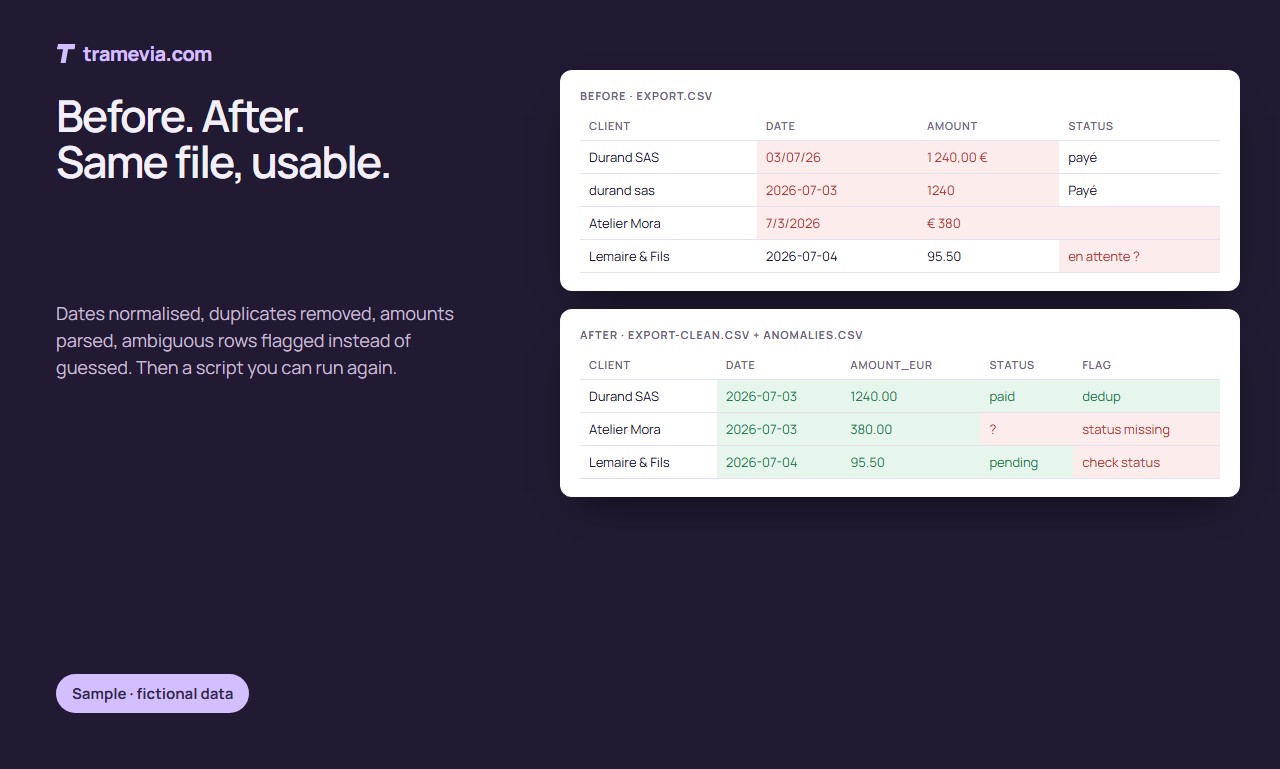
A bank export to reformat, two client lists to match, invoices to prepare from a spreadsheet: these tasks take time and let mistakes through.
An automation always does them the same way. You keep the decision on doubtful cases.
Clean
Dates, amounts, names and duplicates brought to one format.
Match
Two files compared: what is missing, what differs, what matches.
Produce
Quotes, certificates, summaries or reports generated from your template.
02 · What is included
What you receive.
- 01
An analysis of your files and rules
I start from real examples and note the special cases with you.
- 02
A tool that cleans and transforms
A script to rerun, or a one-off run if the need is unique.
- 03
Documents from your template
Layout, mentions and numbering taken from your current documents.
- 04
Doubtful cases set aside
Rows the tool cannot decide are listed with their reason.
- 05
A test on your real data
The result is compared with what you did by hand, before delivery.
- 06
A short guide
How to rerun the tool, what to check, what to do if a file changes.
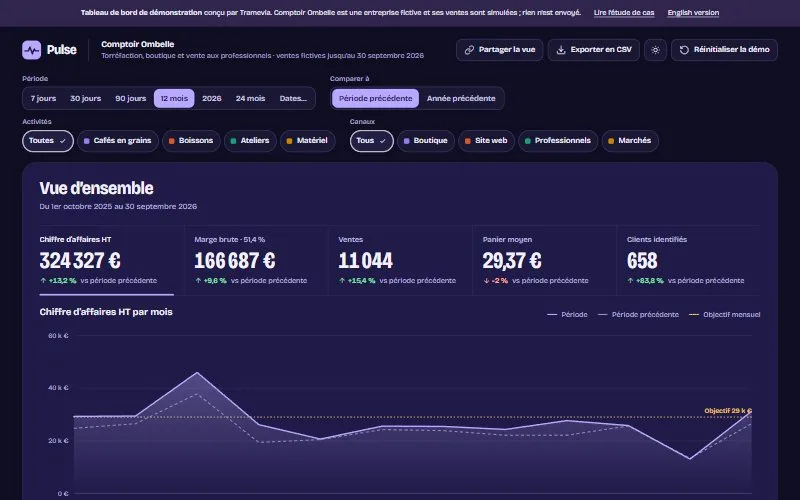
Pulse, a demonstration dashboard. Clean data can then be read at a glance.
03 · Examples to visit
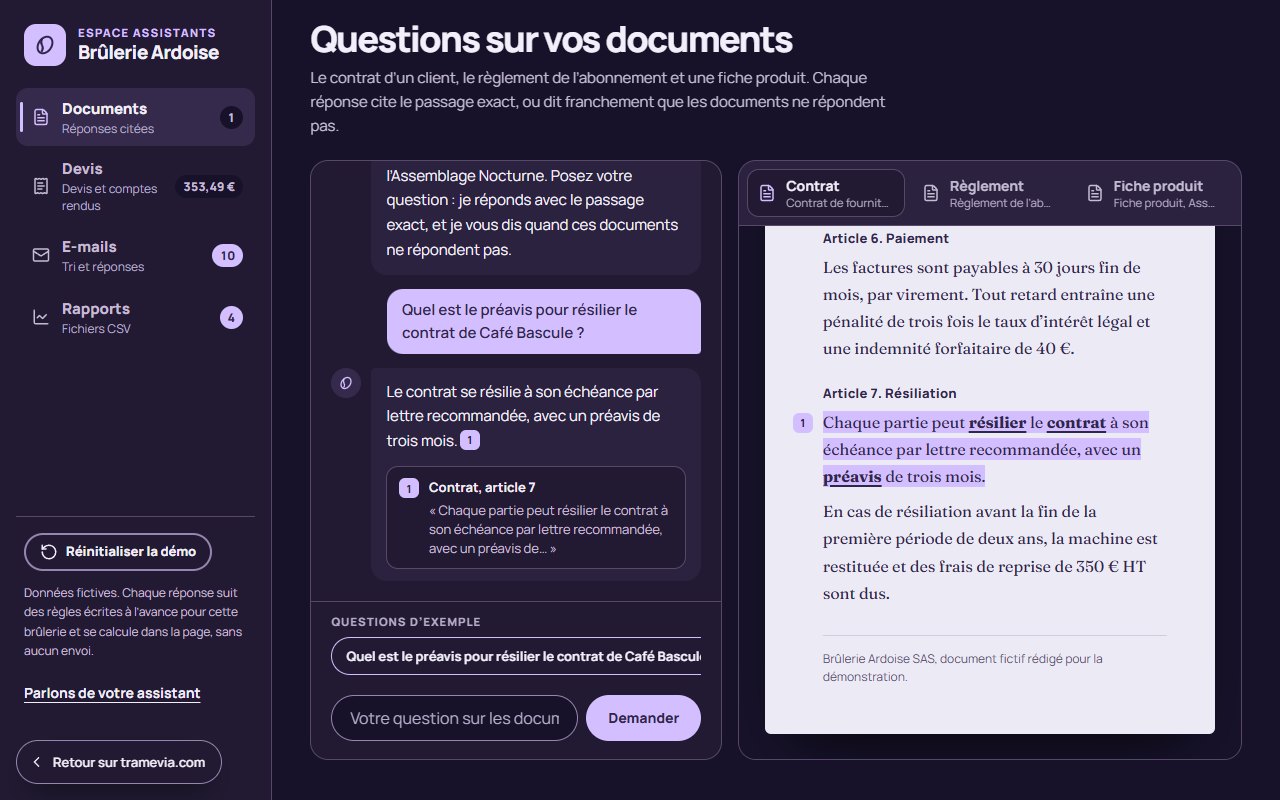
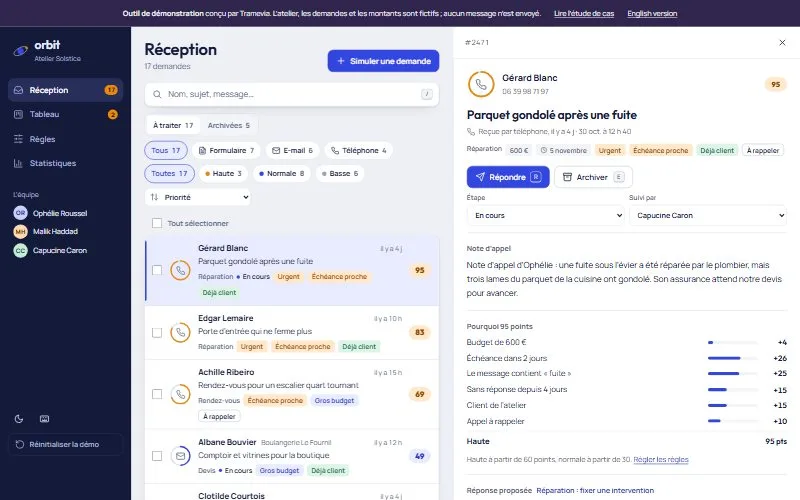
Two prototypes to try.
Fictional data, computed in the page: nothing is sent.
04 · How it works
One person to talk to, four steps.
- You tell me about your business and what you expect. Fast reply.
- I send you a precise quote: content, price, schedule and limits.
- You follow the work on an online preview and approve each step.
- I put it online in your name, then hand over the files and a short walkthrough.
Scope, price and timing are set out in a quote before any work starts.
05 · Questions
Before you send me your files.
Q
Which files can you handle?
Excel, CSV and exports from common software: bank, till, invoicing, shop. If the software can export, we can usually start from there.
Q
Does my data stay with me?
Yes. I work on an anonymised sample, and the delivered tool runs on your computer or your hosting. Nothing is sent to a third-party service.
Q
Is there a subscription?
No. You receive the source files and the tool is yours. A later change is priced separately, if you need one.
Q
What if my file format changes?
The tool checks the expected columns and stops with a clear message if they changed. An adjustment is priced before it is made.
Q
How is it different from a dashboard?
Automation prepares and transforms the files; the dashboard displays them to help you decide. The two are often combined.
Terminus · Contact
Which task would you rather stop doing by hand?
Describe it in a few lines, with a sample file if possible. Fast reply.
contact@tramevia.com Next serviceCustom assistantAnswers drawn from your documents, following your rules→The websites shown as examples are demonstrations designed by Tramevia for fictional businesses.